
Amazon S3
Amazon S3 is a Data Sources/Sinks service for storing and retrieving data.
Configure S3 credentials
You can safely store your Amazon S3 credentials in MotherDuck for convenience by creating a SECRET object using the CREATE SECRET command. Secrets are scoped to your user account and are not shared with other users in your organization.
Create a SECRET object
- SQL
- Python
- UI
-- to configure a secret manually:
CREATE SECRET IN MOTHERDUCK (
    TYPE S3,
    KEY_ID 'access_key',
    SECRET 'secret_key',
    REGION 'us-east-1',
    SCOPE 'my-bucket-path'
);
When creating a secret using the CONFIG (default) provider, be aware that the credential might be temporary. If so, a SESSION_TOKEN field also needs to be set for the secret to work correctly.
-- to store a secret using your local AWS credentials (from `aws configure` or SSO):
-- if you use AWS SSO, run `aws sso login --profile <your_sso_profile>` first
CREATE SECRET aws_secret IN MOTHERDUCK (
      TYPE S3,
      PROVIDER credential_chain,
      -- optional: add CHAIN and PROFILE for SSO credentials
      CHAIN 'sso',
      PROFILE '<your_sso_profile>'
  );
Starting with DuckDB v1.4.0, credentials are validated at secret creation time. If your credentials are not resolvable locally (for example, expired SSO tokens or missing ~/.aws/credentials), the CREATE SECRET command will fail with a Secret Validation Failure error. The recommended fix is to use the correct CHAIN and PROFILE for your credential type (see the SSO example above). If you need to bypass local validation, you can add VALIDATION 'none', but keep in mind that this skips the local check that confirms your credentials are valid before storing them in MotherDuck.
-- test the s3 credentials
SELECT count(*) FROM 's3://<bucket>/<file>';

-- browse objects in a bucket or prefix
FROM md_list_files('s3://<bucket>/');
import duckdb

con = duckdb.connect('md:')
con.sql("CREATE SECRET IN MOTHERDUCK (TYPE S3, KEY_ID 'access_key', SECRET 'secret_key', REGION 'your_bucket_region')");

# testing that our s3 credentials work
con.sql("SELECT count(*) FROM 's3://<your_bucket>/<your_file>'").show()
# 42
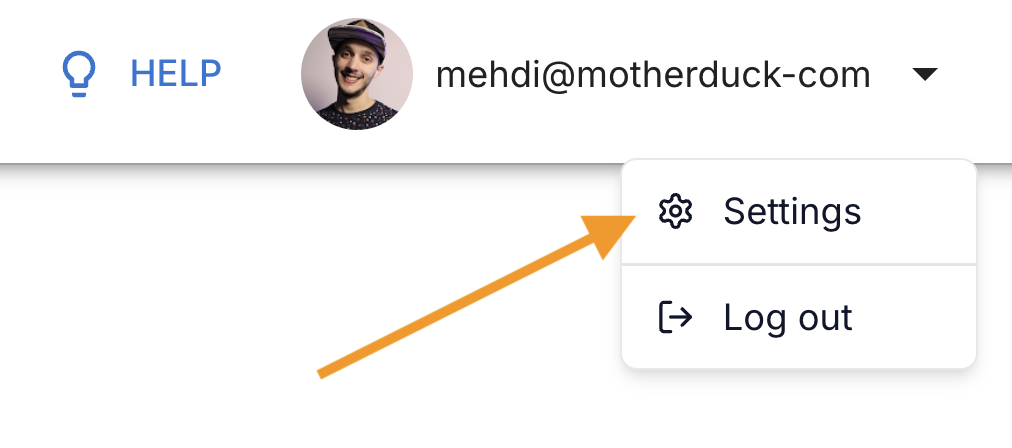
Click on your profile to access the Settings panel and click on Secrets menu.
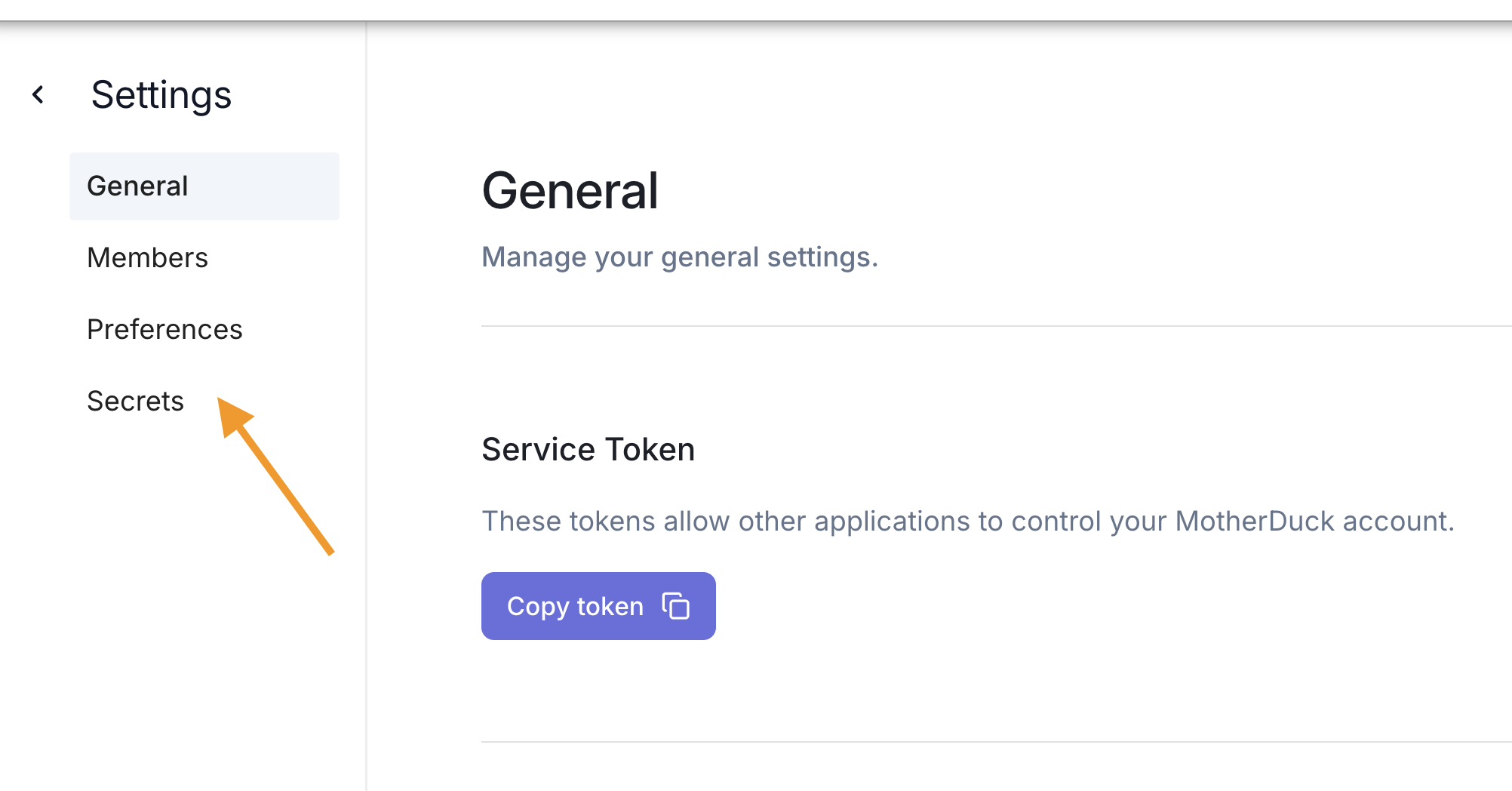
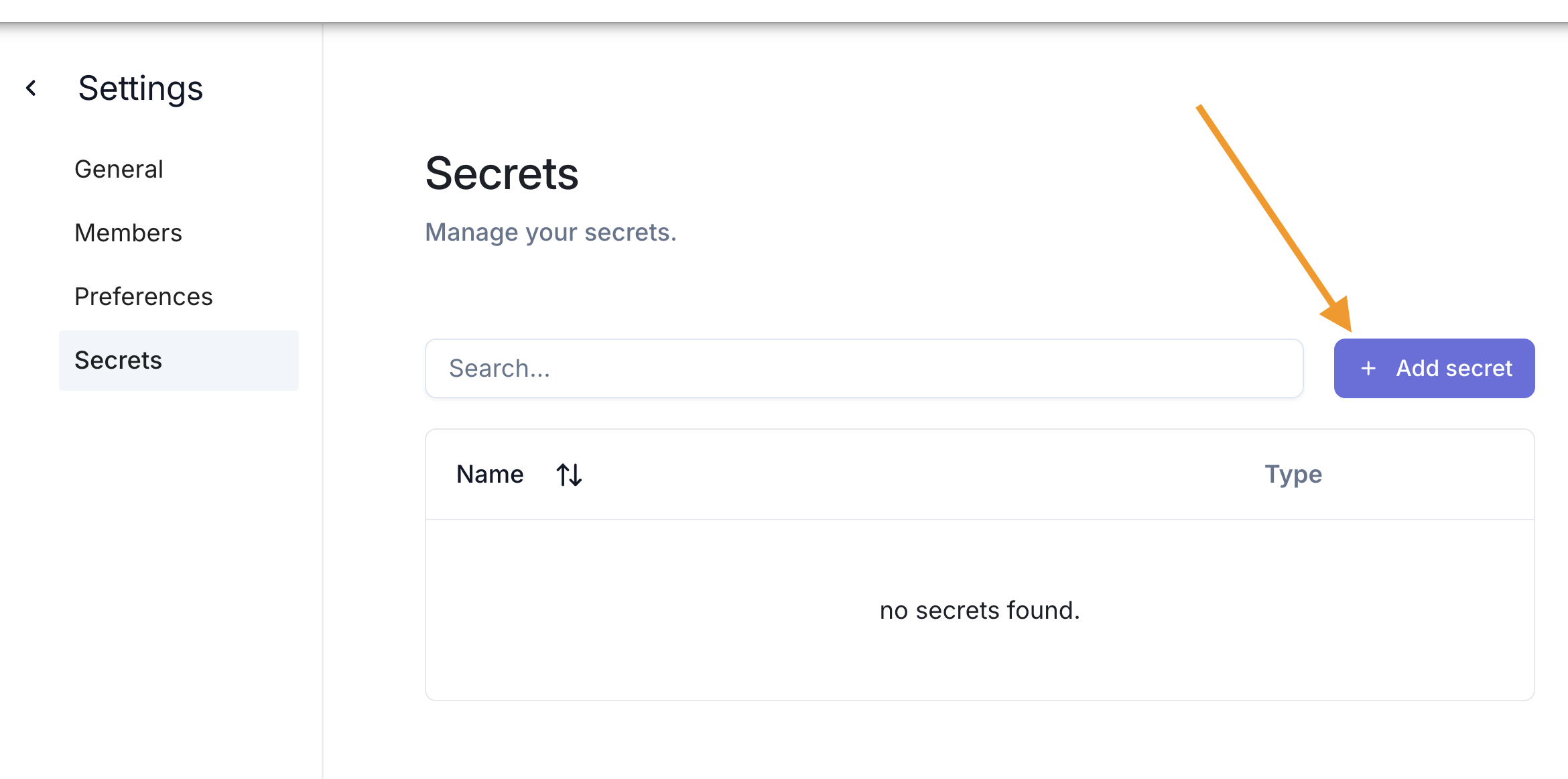
Then click on Add secret in the secrets section.
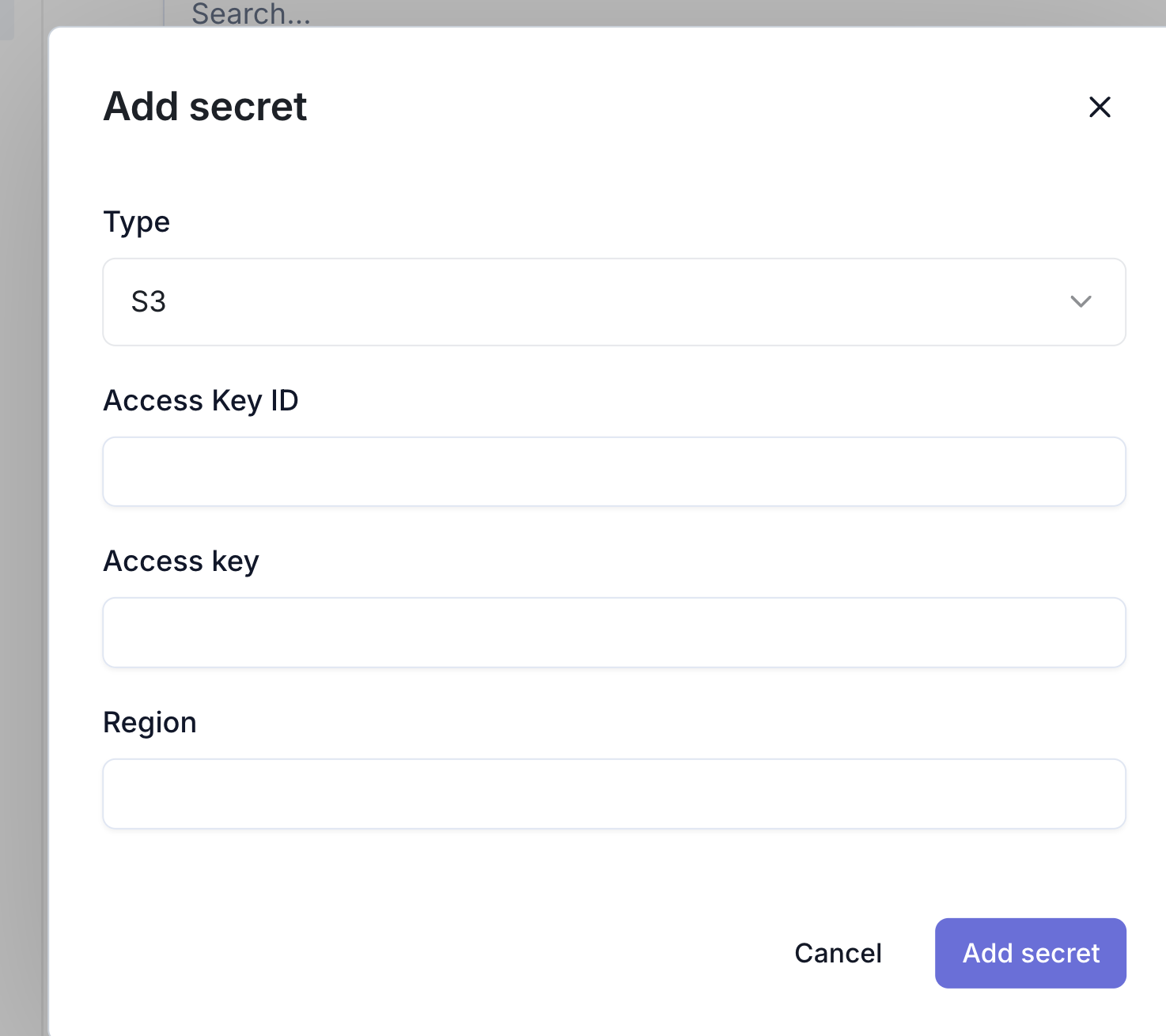
You will then be prompted to enter your Amazon S3 credentials.
You can update your secret by executing CREATE OR REPLACE SECRET command to overwrite your secret.
Delete a SECRET object
- SQL
- UI
You can use the same method above, using the DROP SECRET command.
DROP SECRET <secret_name>;
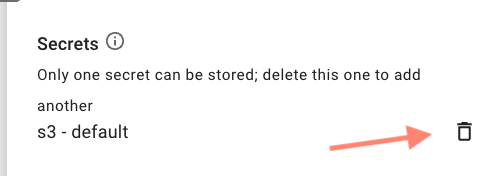
Click on your profile and access the Settings menu. Click on the bin icon to delete your current secrets.
Amazon S3 credentials as temporary secrets
MotherDuck supports DuckDB syntax for providing S3 credentials.
CREATE SECRET (
    TYPE S3,
    KEY_ID 's3_access_key',
    SECRET 's3_secret_key',
    REGION 'us-east-1'
);
Local/In-memory secrets are not persisted across sessions.
Even temporary, in-memory secrets are available to MotherDuck's cloud execution engine when you connect your local DuckDB instance to MotherDuck. When you query S3, the query runs on MotherDuck's servers, not your local machine, and MotherDuck uses the best-matching secret to authenticate, whether it is stored locally or in MotherDuck. For more details, see CREATE SECRET.
Troubleshooting
For detailed troubleshooting steps, see our AWS S3 Secrets Troubleshooting guide.
Browse buckets and files
To inspect storage from SQL before querying specific files:
FROM md_list_buckets_for_secret('__default_s3');

FROM md_list_files('s3://<bucket>/');
FROM md_list_files('s3://<bucket>/<prefix>/');
See MD_LIST_BUCKETS_FOR_SECRET() and MD_LIST_FILES() for details.